
Do You Need Technical Skills to Run AI Agents?


Listen to the podcast
Audio version of this article
Do You Need Technical Skills to Run AI Agents? Zero-Code Business Automation for Small Companies
A widespread misconception among small business owners is that deploying autonomous AI agents requires a computer science degree, software coding skills, or hiring a specialized IT contractor.
The short answer: No, you do not need technical skills to run AI agents in your business anymore.
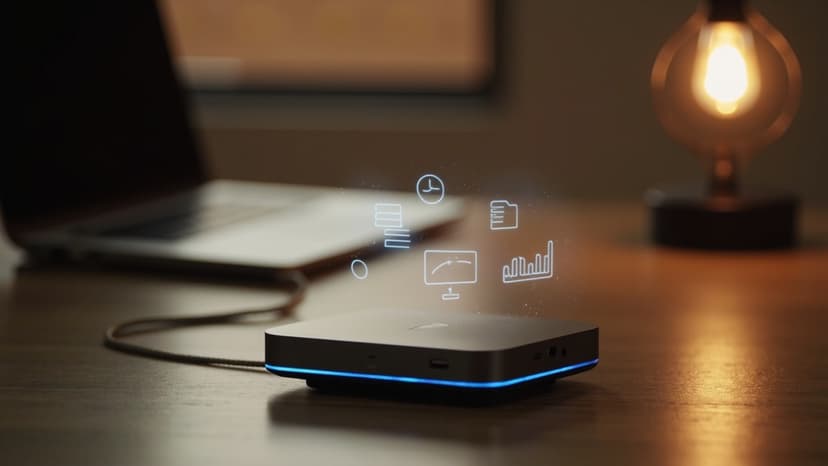
The askingAi AI Agent Mini PC ($499.99) was specifically designed for non-technical business owners, managers, and service operators. Arriving preinstalled with Ubuntu Server and the askingAi agent engine—with AI agent workflows custom-built specifically for your business operations—it delivers a zero-code, plug-and-play experience.
This article explains how non-technical owners manage AI agents, what user-friendly controls are included, and how small companies achieve advanced automation without writing a single line of code.
1. Technical Coding vs. askingAi Zero-Code Management
| Operation | Custom Developer Setup | askingAi AI Agent Mini PC |
|---|---|---|
| Server Setup | Manual Linux terminal commands & partitioning | Preinstalled Ubuntu Server out-of-the-box |
| Workflow Writing | Coding complex Python scripts & prompt chains | Workflows custom-built for your business |
| Control Interface | Command-line scripts & server terminals | Simple web browser control dashboard |
| Modifying Rules | Editing code files & redeploying servers | Simple toggle switches & text updates |
| Technical Requirement | High (Software Engineer or IT Pro) | Zero (designed for non-technical owners) |
Ready to put AI agents to work?
Order your askingAi AI Agent Mini PC today and start from dedicated, always-on hardware.
2. How Non-Technical Owners Manage AI Agents in 3 Simple Steps
You don't need to know how the software engine works under the hood to benefit from AI automation:
+--------------------------------+     +--------------------------------+     +--------------------------------+
| 1. Open Control Dashboard      | --> | 2. Review Prepared Drafts      | --> | 3. Click "Approve"             |
| Access web interface from any  |     | Inspect customer replies,      |     | Allow agent to execute or      |
| browser on your network        |     | invoices, & weekly reports     |     | adjust instructions anytime    |
+--------------------------------+     +--------------------------------+     +--------------------------------+
- Simple Web Interface: Log into your local control dashboard from any computer, tablet, or phone connected to your network.
- Review Prepared Drafts: Inspect lead summaries, draft customer responses, or invoice previews created by your agents in plain English.
- One-Click Approval & Control: Click "Approve" to send messages or adjust business instructions anytime using simple text boxes.
3. Custom-Built for You by the askingAi Team
The primary reason technical skills aren't required is that our software team pre-configures your AI agents prior to shipping your hardware:
- Custom Knowledge Base: Pre-loaded with your business hours, pricing sheets, service area zip codes, and policy documents.
- Pre-Set Workflow Rules: Configured to escalate urgent emergency tickets and filter out junk inquiries.
- Ongoing Support: Optional monthly support plans provide active workflow updates whenever your business needs change.
Ready to put AI agents to work?
Order your askingAi AI Agent Mini PC today and start from dedicated, always-on hardware.
4. Support Options & Managed Service Tiers
Every askingAi AI Agent Mini PC includes a 12-month hardware warranty and standard email support. For non-technical teams seeking active workflow maintenance by our experts, flexible monthly support tiers are available:
| Support Tier | Monthly Cost | Included Monthly Tokens | Hardware Warranty | Support Channels | Custom Workflows |
|---|---|---|---|---|---|
| None (Included) | $0 / mo | Standard API | 12-Month Hardware | Email Support | Self-Service |
| Basic | $100 / mo | 500 Million Tokens | 12-Month Hardware | Email, Phone, Remote Assistance | AI Workflows Built For You |
| Pro | $250 / mo | 2.5 Billion Tokens | 12-Month Hardware | Priority Support & Fast Response | AI Workflows Built For You |
| Ultimate | $500 / mo | 6.0 Billion Tokens | Lifetime Hardware Warranty | VIP Dedicated Support | Custom Workflows + Dedicated AI Email |
5. Summary: Practical Automation for Every Business Owner
The askingAi AI Agent Mini PC ($499.99) proves that advanced AI automation is no longer restricted to tech companies. With preinstalled hardware, Ubuntu Server, and custom-built AI workflows, any small business owner can launch a 24/7 virtual workforce without technical skills.
Ready to put AI agents to work?
Order your askingAi AI Agent Mini PC today and start from dedicated, always-on hardware.
Related Articles
Continue exploring AI agents, automation, and small-business hardware.


Become part of our community


Join the many who have already joined our A.i Newsletter.