askingAiLogo
Back to Blog
Featured

How Fast Can You Get the AI Agent Mini PC Running?

askingAi.pro
askingAi.pro
AI Agent Mini PCSmall Business AutomationAI AgentsPlug and PlaySetup TimeQuick Start
How Fast Can You Get the AI Agent Mini PC Running?

How Fast Can You Get the AI Agent Mini PC Running?

When a small business owner asks "how fast can I get this thing going?", they are usually not asking for a spec sheet. They are asking because they have already burned a weekend on a cloud tool that needed a "small setup call" that turned into a six-hour onboarding, a chat tool that needed a "quick 30-minute integration" that needed engineering, or a SaaS subscription that promised "5-minute setup" and then sent a 14-step welcome checklist with three required integrations and a Slack channel to join. The clock is the only honest answer most small business owners trust.

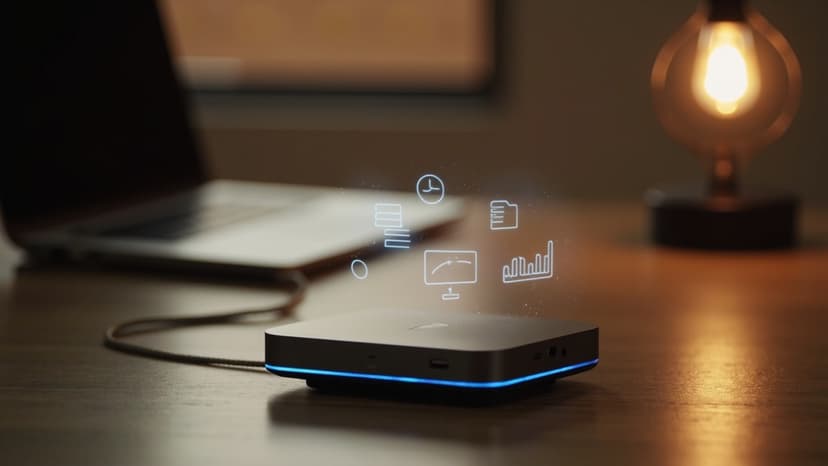
The askingAi AI Agent Mini PC is built for the opposite experience. Out of the box, it is a small matte black box, a power cable, an ethernet cable, and a printed quick-start card. Inside the box, the operating system, the agent runtime, the model integrations, the web dashboard, and the default agents are already installed. The owner is not building anything. The owner is plugging in something that was already built, and pointing it at the work the business already has.

For most small business owners, "how fast" is a single-afternoon answer. The realistic first-day timeline — the one the business should plan around — runs from the moment the box lands on the desk to the moment the first useful agent is answering the first useful question. That timeline is short. It is predictable. And it does not require a contractor, a developer, or a managed service provider to drive it.

The Realistic First-Day Timeline

This is the timeline a non-technical owner should plan around. It assumes a single person, no prior AI setup, a standard home or small-business internet connection, and the team the business already has.

0:00 — Box lands on the desk. The Mini PC ships with the operating system and the agent stack preinstalled. There is no software to download, no driver to find, no installer to run. The box is ready before it is opened.

0:05 — Unbox and place. The Mini PC is a compact device. It fits on a corner of the desk, on a small shelf, on top of the router, or in a wiring closet. It needs power and a network connection. That is the entire physical install.

0:10 — Power and network. Plug in the power cable. Plug in the ethernet cable (or join it to the office Wi-Fi from the quick-start card). The device boots into its dashboard. No monitor, keyboard, or mouse is required at the desk — the dashboard is reached from any laptop, phone, or tablet already on the same network.

0:15 — Sign in and claim the device. The first time the dashboard is opened, the owner signs in with the email used at purchase and claims the device with a one-time pairing code printed on the quick-start card. The device is now tied to the owner's account, and only the owner (and the people the owner invites) can see it.

0:25 — Pick the first agent. The dashboard walks the owner through a short "what do you want to automate first" prompt. For most small businesses, the first pick is one of the default agents: Customer Service, Administrative Assistant, Lead Qualification, or Social Media Manager. The owner picks the role. The agent is ready to be configured.

0:35 — Connect the first tool. Each default agent has a short list of supported tools the owner is likely already using. The customer service agent can connect to the business's email, a help-desk inbox, or a web chat widget. The administrative assistant agent can connect to a shared Google or Microsoft calendar. The lead qualification agent can connect to a web form, an email address, or a CRM the business already pays for. The connection is OAuth — click, approve, done.

0:45 — Set the first workflow rules. The owner answers a few plain-English questions: what questions should the customer service agent answer on its own, what questions should it escalate, what hours should the agent cover, what tone should it use. For the admin agent: what calendar the agent can write to, what kinds of meetings it can book on its own, what kinds of meetings need approval. The rules are saved as a plain-English playbook, not a flowchart.

1:15 — Soft-launch the first agent. The agent goes live in a quiet, low-risk mode. The customer service agent starts answering the simpler, more common questions. The admin agent starts handling the simpler scheduling requests. The lead qualification agent starts triaging inbound form submissions. The owner watches.

1:45 — Tune the first agent's answers. The first few real interactions come in. The owner reviews them in the dashboard, adjusts the playbook in plain English, and the agent updates its answers for the next interaction. There is no code to write, no model to retrain, and no engineer to schedule.

Ready to put AI agents to work?

Order your askingAi AI Agent Mini PC today and start from dedicated, always-on hardware.

Order Today

2:30 — Invite the team. The owner invites the people who should be able to see the agent's work — the office manager, the customer service lead, the salesperson who owns the calendar. Invites are by email. Permissions are role-based, not open by default.

3:00 — Add a second agent. With the first agent running and tuned, the owner adds a second agent from the same dashboard. The second agent starts on the same hardware, follows the same playbooks-style configuration, and shows up alongside the first in the team dashboard. No new install. No new vendor. No new login.

End of day one — two agents live, tuned, and working in the background. The owner has spent a single afternoon on setup. The first agent has already handled a handful of real interactions. The second agent is on its first day of training data. The team has been invited and has seen the dashboard once. The hardware is sitting quietly on the desk, doing the work.

That is the realistic first-day timeline. It is not a marketing estimate. It is what the device is designed to deliver, and it is what most small businesses actually experience.

What "Setup" Does Not Mean Here

The reason the timeline is short is that the setup work most tools hand to the customer has already been done. It is worth being explicit about what is not on the list of things the owner has to do:

  • No operating system to install. Ubuntu Server is preinstalled and preconfigured. The owner never sees a terminal unless they want to.
  • No agent runtime to deploy. The agent framework, the model connections, the scheduler, the queue, and the dashboard are all part of the same image that ships on the device.
  • No models to download or self-host. The Mini PC uses hosted models by default. The owner does not provision a model, manage a model endpoint, or pay a model vendor directly.
  • No integrations to build. The default agents ship with the most common integrations pre-wired. Connecting a tool is OAuth, not engineering.
  • No "training" in the machine-learning sense. The agents do not need to be trained on the business's data before they can answer the first question. They use the business's existing tools, documents, and playbooks the moment they go live.
  • No contractor required. A non-technical owner can complete every step above without an integrator, a developer, an IT consultant, or a managed service provider.
  • No second vendor relationship. The hardware, the agents, the dashboard, the playbooks, and the support all come from the same place.

Every one of those items is a setup step that the average small business owner has been asked to do at least once in the last five years by some other AI or SaaS tool, and every one of them is what is being removed from the owner's plate by putting the whole stack on a single device.

Where Real Setup Time Actually Goes

If the first-day timeline is fast, the second-week timeline is where the business actually feels the value. The second week is not setup anymore — it is adoption. The realistic second-week pace looks like this:

  • Day 2–3: the first agent is handling a meaningful share of its target work. The owner reviews a handful of interactions, adjusts the playbook a few times, and stops watching it constantly.
  • Day 4–5: a second agent is added, often on the same hardware, often without the owner needing to repeat any of the device setup.
  • Day 6–7: the third and fourth agents are added. The owner starts to see the dashboard as a single pane of glass for the work the agents are doing — not a per-agent install list.
  • End of week two: the agents are covering real work, the team is using the dashboard, and the owner is starting to think about which workflows to hand off next.

Adoption is not a single event. It is a sequence of small, low-risk add-ons, each one taking a fraction of the time the first one took, because the device, the dashboard, and the agent pattern are already in place.

A Realistic First-Week Example

A two-person services business — a small bookkeeping firm with a part-time admin — buys a Mini PC on a Monday. The owner unboxes it during lunch on Tuesday, plugs it in, and follows the quick-start card. By Tuesday evening, the Customer Service agent is connected to the business's shared email inbox and is answering the common "where is my tax document?" and "what do I need to send for month-end?" questions. The admin reviews the first day's answers on Wednesday morning, makes a few playbook tweaks, and goes back to client work.

On Thursday, the Administrative Assistant agent is added. It is connected to the owner's calendar, given the rules for which meetings it can book on its own and which need approval, and pointed at the shared inbox for the most common scheduling requests. By Friday, the admin agent is handling the simple reschedules, the owner is spending less time triaging the inbox, and the part-time admin is starting to use the dashboard to see what the agents did during the week.

Ready to put AI agents to work?

Order your askingAi AI Agent Mini PC today and start from dedicated, always-on hardware.

Order Today

That is a first week. The device is not impressive because of the hardware. It is impressive because the owner spent roughly two hours of total hands-on time across five days, and the agents were doing useful work on day one and meaningful work by day five.

What Slows Setup Down, and How to Avoid It

A handful of things can stretch the timeline. None of them are technical, and all of them are avoidable:

  • Waiting on a team decision. The most common delay is "let me check with the team" before picking the first agent. Pick the obvious one and adjust later.
  • Trying to wire every tool on day one. A common mistake is connecting the agent to every system the business uses before letting it answer the first question. Connect the one or two that matter most, get the agent live, then expand.
  • Perfectionist playbook tuning. The playbook is meant to be tuned over the first week of real interactions. Trying to make it perfect before the first interaction is a setup anti-pattern.
  • Treating the Mini PC like a normal server. The Mini PC is a managed device. The owner does not run updates, restart services, or check disk space. Trying to manage it like a self-hosted server adds time that the device is designed not to need.

None of these delays are about the hardware. They are about over-thinking the first week. The fastest setup is the one where the owner picks the first obvious agent, connects the most important tool, and lets the playbook be tuned by real interactions.

Who This Timeline Is For

The single-afternoon first-agent timeline is a fit for most small business owners, regardless of technical background. The specific profiles who get the most out of it are:

  • A solo operator or two-person team that needs the first agent live in one sitting and does not have time for a multi-day rollout.
  • An operations manager or office manager who has been handed the AI initiative and is expected to show progress this week, not next quarter.
  • A multi-location small business that needs the same setup pattern replicated across sites without bringing in an integrator for each one.
  • A non-technical owner who is wary of any tool that requires "a quick call with our onboarding engineer" to get going.
  • A technical owner who would rather spend the setup time on tuning agents and connecting the harder tools than on installing an operating system.

For all of these profiles, the answer to "how fast can you get it running" is the same: faster than any other AI tool the business has tried, on hardware the business owns, with a setup the owner can drive end-to-end.

Bringing It Together

"How fast" is the question small business owners ask first for a reason. They have been burned by slow. They have been burned by the gap between a marketing claim and a real first day. The honest answer for the AI Agent Mini PC is that the first useful agent is live in a single afternoon, the second agent is added the same week, and the playbook keeps tuning itself from real interactions after that.

There is no multi-day rollout. There is no engineer on the calendar. There is no second vendor relationship to manage. The hardware ships ready, the dashboard is reached from any device on the network, the first agent is selected from a short list, the first tool is connected with a single OAuth approval, and the first useful question is answered before the owner closes the laptop for the night.

For a small business that has been waiting for the "right time" to bring an AI agent in, the right time is one afternoon. The hardware is the part that is already done.

If the business is ready to put its first agent to work this week, the AI Agent Mini PC is the fastest path from unboxing to a live, answering, useful AI employee. Plug it in, claim it, pick the first agent, and let the first day carry the rest.

Order the AI Agent Mini PC at https://askingai.pro

Ready to put AI agents to work?

Order your askingAi AI Agent Mini PC today and start from dedicated, always-on hardware.

Order Today

Become part of our community

  • Avatar 01
  • Avatar 02
  • Avatar 03
  • Avatar 04
  • Avatar 05

Join the many who have already joined our A.i Newsletter.